1. Super Fast and Easy Facial Retouching

เพิ่มความเนียนให้ใบหน้าอย่างเร่งด่วน
2. Reducing 5 O’Clock Shadow And Beard Stubble In Photoshop
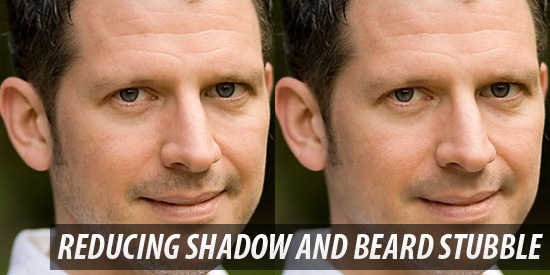
ลดหนวดเคราโดยใช้ Healing Brush Tool, และ layer blending options.
3. Virtual Makeup in a Snap

แต่งหน้าสวยด้วย Noise Filter, the Paint Brush Tool, และ the Eraser Tool.
4. Eye Color Change
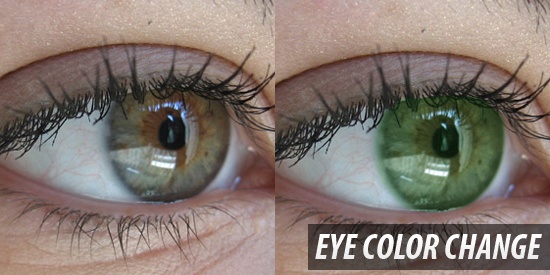
เปลี่ยนสีดวงตาด้วย Quick Mask Mode และ Color Balance Image Adjustments.
5. Increase Breast Size
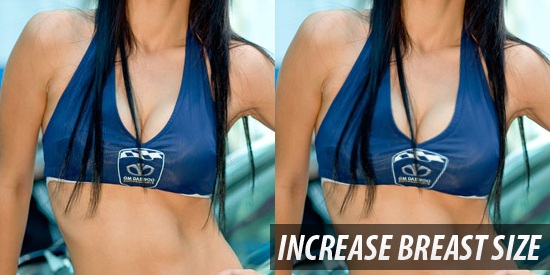
เพิ่มขนาดของหน้าอกด้วย Liquify Filter และ the Bloat Tool อย่างรวดเร็ว !
6. Basic Retouch and Colorization

พื้นฐานการรีทัชและปรับสีของใบหน้าด้วย Gaussian Blur filter, Curves image adjustment, และ theSmart Sharpen filter
7. Applying Realistic Tattoo
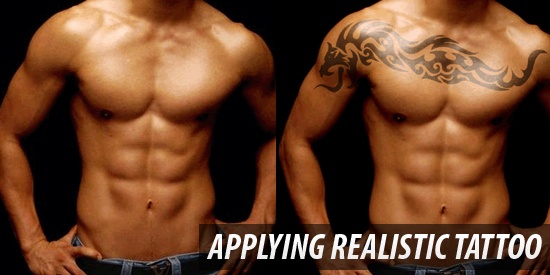
ใส่รอยสัก
8. Age Progression
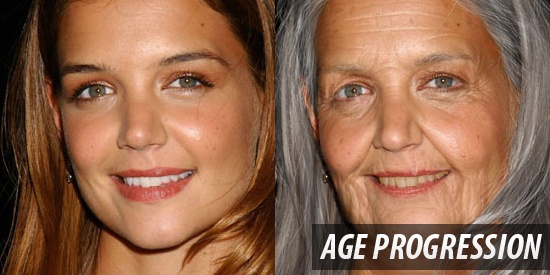
การรีทัชเพิ่มอายุของใบหน้าคน !
9. Whiten Teeth to Improve a Smile in Photoshop
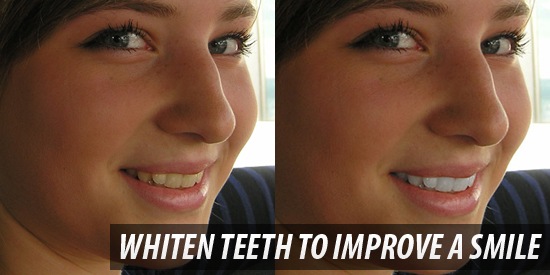
ทำให้ฟันขาวโดยใช้ Quick Selection Tool เลือกบริเวณตามด้วย Hue/Saturation Adjustment layer
10. Professional Photo Retouching Bikini Model
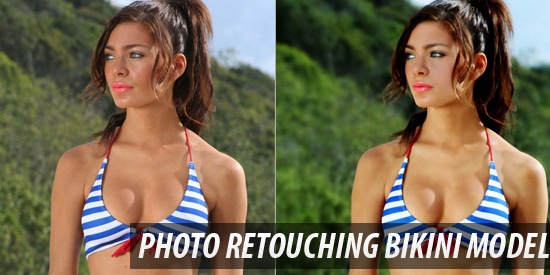
การรีทัชผู้หญิงในชุดว่ายน้ำ มีเทคนิกเช่นการแต่งผิวด้วย digital airbrushing process.
11. Change Hair Color
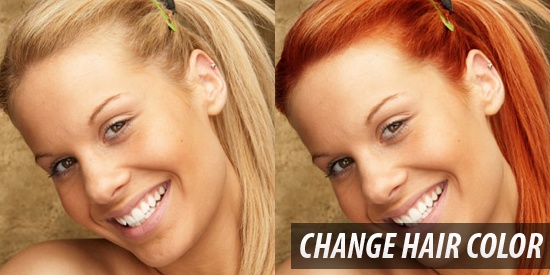
การเปลี่ยนสีผมด้วย masking tools และ layer styles.
12. Superb Skin Airbrush Technique
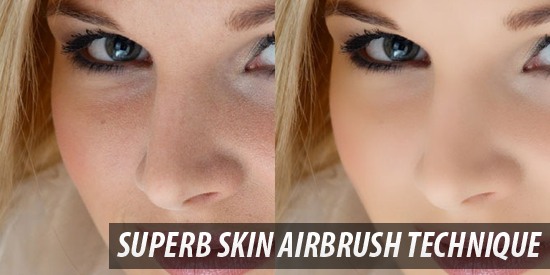
ปกติในการถ่ายรูปจริง จะมีการทำ Airbrush ให้แบบก่อนถ่ายอยู่แล้ว แต่อันนี้จะเป็นการทำแบบ Digital โดยใช้ Surface Blur Filter และ Paint Brush Tool.
13. Face Makeover
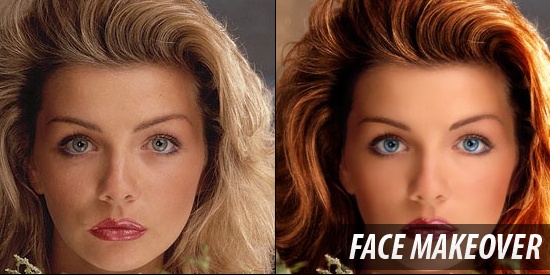
การทำให้ใบหน้าดูโดดเด่นเกินจริงมีหลายอย่าง เช่นการทำไให้ดวงตาโดดเด่นขึ้นโดยการทำให้ตา ขาวและมีคอนทราสมากขึ้น โดยใช้ Paint Brush Tool ร่วมกับ lay blending modes.
14. Simple Facial Photo Retouching
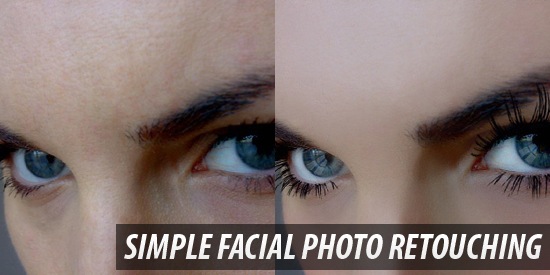
พื้นฐานการรีทัชใบหน้าโดยใช้ Spot Healing Brush Tool, Warp Transform option, และ Photoshop brushes หลายตัวที่สามารถ download ได้จะสามารถรีทัชรอบดวงตาเพื่อเพิ่มขนตาให้สวยงามได้
15. Create Digital Makeup
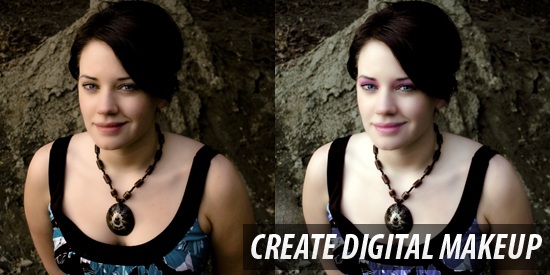
การ make up แบบ digital โดยใช้ Photoshop filters ไม่กี่ตัวใน masking tools และ Image Adjustment
16. Artificial Smooth Skin
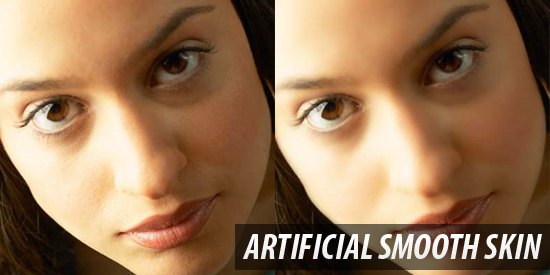
ขั้นตอนที่ง่ายๆอย่าง Quick Mask Mode และ the Paint Brush Tool ที่ใช้ทำผิวของแบบให้เรียบเนียนปราศจากริ้วรอย เทคนิคนี้ใช้กันทั่วไปใน magazine ครับ
17. Professional Photographic Retouching
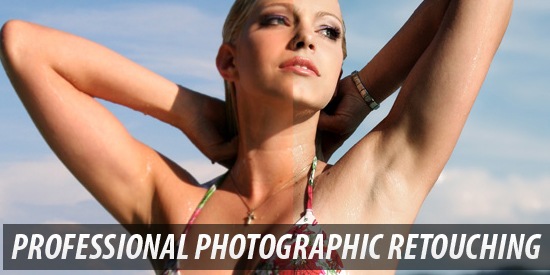
ใน video tutorial ตัวนี้บน Abduzeedo, yเราจะได้เรียนรู้หลายอย่างเกี่ยวกับการรีทัชระดับมืออาชีพเช่น การแก้สี, การปรับรูปร่างของโมเดล, รวมไปถึงการปรับระยะชัดลึกของกล้องก็อยู่ในชุดนี้เช่นกัน
18. Easy Digital Nose Job in Photoshop
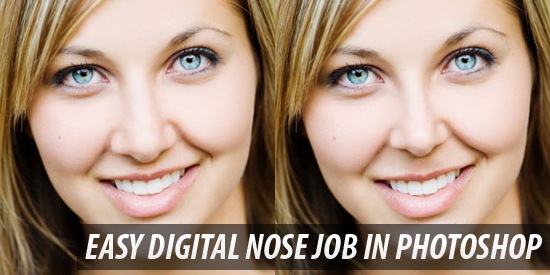
การอธิบายวิธีการปรับรูปร่างของจมูกของแบบ step-by-step โดยใช้ Lasso Tool, Free Transform, และ Healing Brush Tool
19. Professional Photo-Retouching
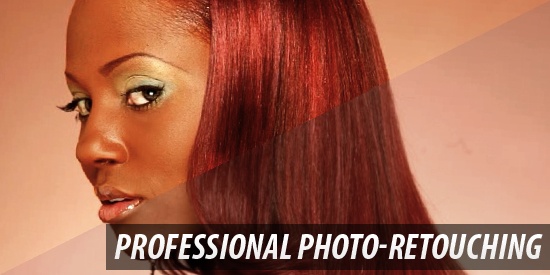
ในวีดีโอชุดนี้จะเป็นการรีทัชผมให้โดดเด่น การนำผมบางส่วนที่ไม่ต้องการออก การปรับ tonal values, และการทำงานกับ blending modes.
20. Quick and Effective Facial Retouching
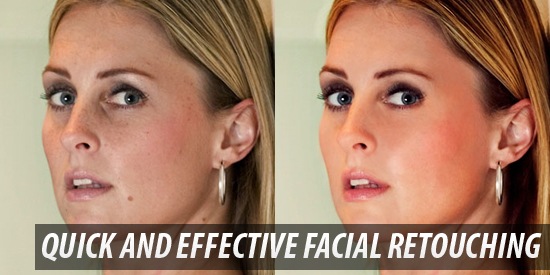
การตกแต่งใบหน้าแบบเร่งด่วน ใช้เวลาไม่กี่นาที
21. How to Digitally Paint Lip Gloss with a Tablet
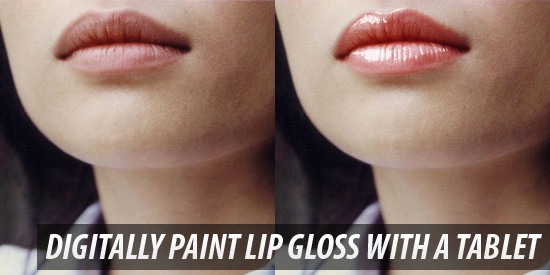
การทำลิปกรอสให้ริมฝีปากของแบบโดยใช้ Liquify Filter และ Photoshop brush techniques
22. Remove Blemishes in Photoshop
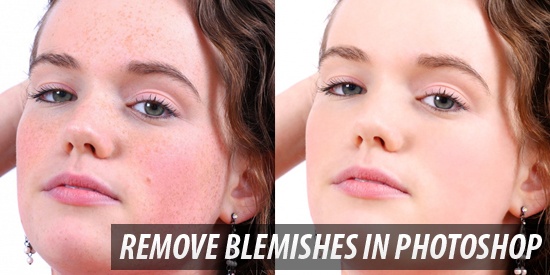
การใช้ Spot Healing Brush Tool และ Gaussian Blur Filter และ Paint Brush Tool ในการทำไฝ ฝ้าและกระออกจากใบหน้า Tutorialboard.
23. How To Get Perfect Skin!
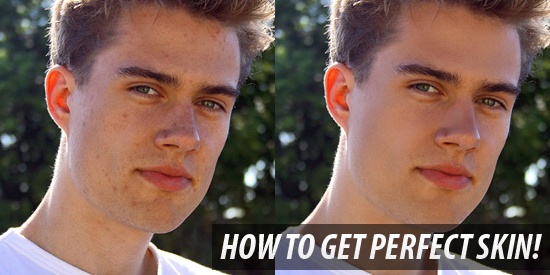
การตกแต่งผิดใหดูมีสุขภาพดีด้วย Healing Brush Tool และ Clone Stamp Tool.
24. Glamour Model
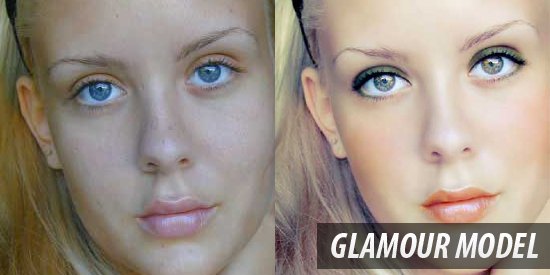
Photo-retouching tutorial ตัวนี้มีขั้นตอนในการตกแต่งหน้าอย่าง เช่นการใช้ประโชยน์จาก Patch Tool สำหรับผิวที่เป็นกระ และการใช้Turbulence Tool เพื่อตกแต่ง pixel และเบลอส่วนที่ไม่สมบูรณ์
25. Really Cool Digital Make up in Photoshop in 10 min
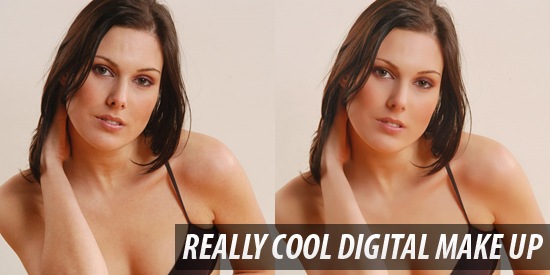
ส่วนนี้เป็น Photoshop tutorial สำหรับการ makeup แบบสมจริงบนรูป ซึ่งจะเป็นการใช้งาน Dust & Speckle Noise Filter และ Shadow/Highlight Image Adjustments เพื่อที่จะตกแต่งผิวโดยไม่ทำให้ภาพไม่สมจริง
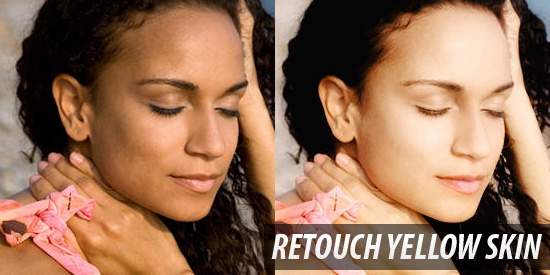
ทำให้ผิวดูขาวขึ้นและนุ่มนวลขึ้นด้วย Soft Light layer mode,Selective Color Image Adjustments และ Curves Image Adjustments.
เครดิต : http://www.ischool.in.th/blog/2009/07/women-retouch/

ไม่มีความคิดเห็น:
แสดงความคิดเห็น